How to repair hard-clipped peaks after recording
A great take can still contain a few peaks that hit the converter or recording chain too hard: a harsh edge on the loudest note, a pick attack that splinters, a hit that sounds broken rather than loud.
So — record it again, or try to save it? If the performance is the one you want and only a handful of short peaks were flattened, the rest of the take is intact, and the damage can often be repaired without anyone playing it again. Re-recording is still the safer choice when the clipping runs through long stretches of the take, or when the performance is easy to repeat.
UnClip is a free plugin made for the first case. Put it on the clipped track and it finds the hard-clipped peaks on its own — there is no threshold, sensitivity or repair amount to set — and rebuilds each one from the clean audio around it. Listen below, then decide.
Hear the repair
Example 1 — Distorted lead guitar
A distorted lead guitar, hard clipped at −15 dBFS on top of its own distortion. UnClip rebuilds the flattened peaks and leaves the sound of the amp as it was.
Both files are the same passage at the same level. The only processing between them is UnClip.
See UnClip repair a clipped peak
This short demonstration shows the clipped waveform, UnClip detecting the damaged area, and the resulting reconstruction.
What UnClip actually repairs
UnClip is designed for short areas of hard clipping where part of the waveform has been flattened.
Instead of treating the entire signal, it identifies individual clipped regions and reconstructs only the damaged samples. The clean waveform around each region remains untouched and also provides context for the reconstruction.
Clipping does not have to be at 0 dBFS
UnClip does not assume that clipping must occur at 0 dBFS. Detection is based on the shape of hard clipping itself, allowing it to recognize material that was clipped earlier in the signal chain or has subsequently been turned down.
None of the examples on this page clipped at 0 dBFS: their flat tops sit between −15 dBFS and −10 dBFS, as the label above each waveform shows. UnClip found them by their shape, not their level.
How the reconstruction works
Once a clipped region is identified, UnClip analyzes the clean waveform around it and reconstructs a plausible continuation through the damaged samples.
Only samples identified as clipped are replaced. The surrounding clean audio is left unchanged.
Because the original waveform above the clipping ceiling no longer exists, reconstruction is necessarily an estimate. UnClip is intended to produce a plausible continuation of the waveform rather than claim to recover the exact original peak.
Repaired peaks need headroom
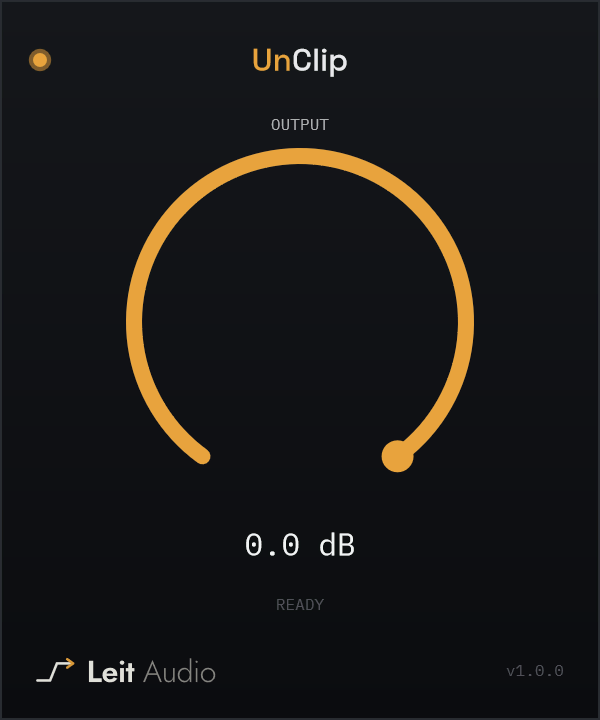
A reconstructed peak can extend above the level where the original waveform was clipped. UnClip therefore includes an Output control providing up to 24 dB of attenuation after reconstruction.
Use it when necessary to leave enough headroom for the repaired peak before further processing or export.
More examples
Example 2 — Clean guitar
The strongest pick attacks were cut flat at −10 dBFS. UnClip identifies the affected samples and reconstructs each peak using the clean waveform around it as context.
Example 3 — Piano
The loudest moments of the piano part lost the tops of their peaks at −15 dBFS. Only those samples are replaced; the rest of each note is the original recording.
Example 4 — Slide guitar
A sustained slide guitar line clipped at −10 dBFS. UnClip rebuilds the flattened peaks and leaves the tone around them untouched.
Where UnClip works best
UnClip is intended for recorded material containing short accidental areas of hard clipping — for example a vocal phrase, drum transient, guitar attack or other otherwise usable recording where a small number of peaks were damaged.
It is not a general distortion remover. Saturation, codec damage, crackle and long stretches of heavy clipping are outside what it is designed to repair. If a clipped recording was converted to a higher sample rate afterwards, the conversion spreads the damage beyond the flat tops, so work at the original sample rate where you can.